85MB
Windows
...or visit us on your PC to download the app
Get Maximum Movement Speed,
Movement Speed Multiplier
&
12 other mods
for Monster Crown: Sin Eater with WeMod
Cheats 14
Player Mods
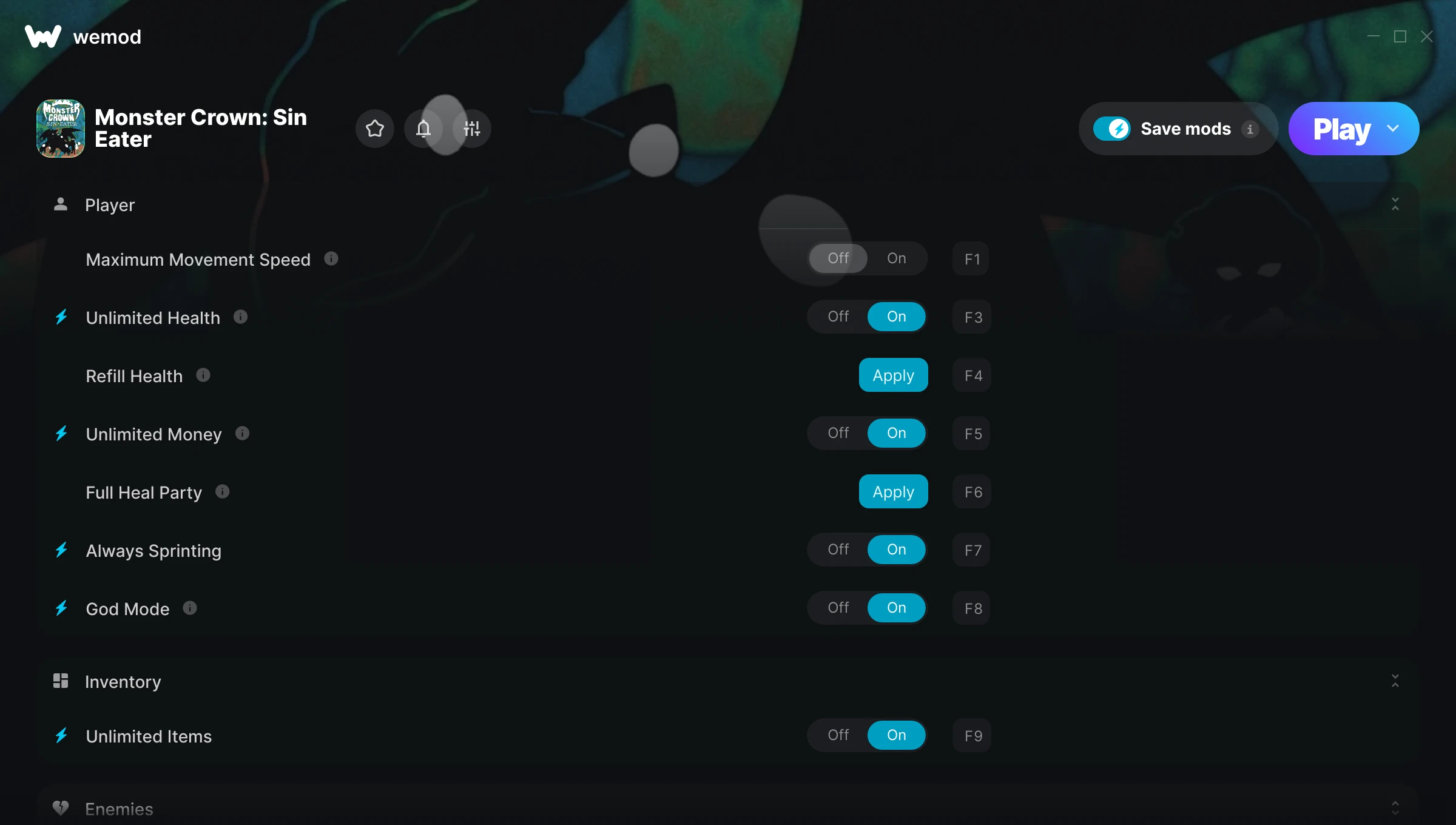
Maximum Movement Speed
Movement Speed Multiplier
Unlimited Health
Refill Health
Unlimited Money
Add Money
Full Heal Party
Always Sprinting
God Mode
Inventory Mods
Unlimited Items
Enemies Mods
One-Hit Kills
No Wild Encounters
Game Mods
Game Speed
Stop Clock
Player Mods
Maximum Movement Speed
Movement Speed Multiplier
Unlimited Health
Refill Health
Unlimited Money
Add Money
Full Heal Party
Always Sprinting
God Mode
Inventory Mods
Unlimited Items
Enemies Mods
One-Hit Kills
No Wild Encounters
Game Mods
Game Speed
Stop Clock
Player Mods
Maximum Movement Speed
Movement Speed Multiplier
Unlimited Health
Refill Health
Unlimited Money
Add Money
Full Heal Party
Always Sprinting
God Mode
Inventory Mods
Unlimited Items
Game Mods
Game Speed
Stop Clock
Enemies Mods
One-Hit Kills
No Wild Encounters
Player Mods
Maximum Movement Speed
Movement Speed Multiplier
Unlimited Health
Refill Health
Unlimited Money
Add Money
Full Heal Party
Always Sprinting
God Mode
Inventory Mods
Unlimited Items
Enemies Mods
One-Hit Kills
No Wild Encounters
Game Mods
Game Speed
Stop Clock
Intro to WeMod
Overview of modding with WeMod
How does it work?
Step 1
Download WeMod
WeMod is the #1 app for mods & cheats for 3000+ games
85MB
Windows
...or visit us on your PC to download the app
Get Maximum Movement Speed,
Movement Speed Multiplier
&
12 other mods
for Monster Crown: Sin Eater with WeMod
WeMod is always safe and always free because of our community of millions of gamers around the world. We are supported by WeMod Pro subscribers. Check out our reviews on Trustpilot.
How do I use the cheats in Monster Crown: Sin Eater?WeMod will safely display all of the games on your PC. Open a game from the list and simply press play. After the game loads and once you’re in-game, you can start enabling different cheats!Will this work with my game version?WeMod uses advanced technology to detect the game version you’re running and will let you know if it’s supported. If it’s not, you will still have the option of giving it a try or requesting an update!